Showing posts with label Websites. Show all posts

Friday, 6 November 2015

8 Steps for Optimizing a New Website maker

 8 Steps for Optimizing a New Website maker


If you have just launched a new website and are unsure about how to promote it online especially, on search engines, then you are doing a right thing by reading this post.

 the first thing you need to do before anything else after launching a new website, is DO NOT BE HASTY and DO NOT PANIC. By panicking or by taking hasty decisions you will be ending up making bad decisions and you may realize it after losing a chunk of money and time, which is not what anybody looks out for when starting something new.

 Here are the 8 most important steps you can take YOURSELF to start your website’s promotion on search engines and the internet as whole, and you do not need an expert for this.

 so Visit This Site  Click Down Link

8 Steps for Optimizing a New Website maker

Friday, 31 May 2013

Host A Web Server on Your Home PC


Host A Web Server on Your Home PC


If you want to make small site of your own and don’t desire to pay for hosting prices, this article will precisely tell you how to do it. I had always wondered if I can host my blog or a small site on my laptop computer but looking at traffic and security I can’t.
However, if you want to make a website, for friends and family, this can be a good solution for you. It’s a free software, so you don’t have to pay any money for this. A friend was going through some magazine (I am not sure which one), and he told me about this software that really can help you host a web site on your own pc. I gave it a try and found that it’s really good.
Below are the steps and small analysis of my experience with this software in just 6 steps. I tested it in Windows XP and it also works on Windows 7 and Windows Vista.

Step 1: Download and Run The Software

Download the HFS or Http file server. It is free and open source and above all that it’s a standalone executable that requires no installation.
  • When you run HFS you might be asked whether or not allow hfs.exe to connect to Internet. Unblock it.
  • But if you have 3rd party firewall you will have to configure it accordingly.

Step 2: Configure the port

By default HFS uses port 80.if you your firewall is blocking port 80, set HFS to some other port (for example, 8025) or which ever is free. As a precaution keep it above 1024 which is used my operating system itself.
hfs_port_no
  • To change the port number, click on Port Number menu and enter a new one.
  • Also, if you are behind a router or firewall, you may in some rare cases, need to set up port forwarding.
  • For all the help required for visit portforward
  • Port-forward can help you out to set up port forwarding. There you can choose the router type and choose a program you want to set up port forwarding for, which is in our case is HFS.

Step 3: Test HFS

Now you need to test your settings before you start. Click the menu in HFS and choose self test. If the test completes successfully, your settings are correct, and you are ready for the next step, To point your web browser to your ip address.
hfs_self_test

Step 4: Register A domain

For setting up a web site, you need to first assign it a domain name. Domain name is  another name for a computer ip address. For this, you will need to a DNS service running on your computer, which can be, mapped to a particular ip address.
  • Create a Create a new user at No-IP account.
  • Login to the site with the account you created. On the left-sidebar click on “Hosts/Redirects”
  • Click on Add. In the page that opens enter a domain name of your choice e.g “myfamilypics” and It will create a sub-domain on its own server that will work on your ip.
addhost to home server
  • Your IP is recorded when you add the domain name. If your ISP is blocking port 80, you can choose a redirect given under same page.
  • Click on “Create host” and you are ready to roll.
  • Access the same from your own browser. You can add your file In HFS and access the same.
Trust me, I have done it, and it works. But I cant give the link of my url (as it is hosted on my computer) here keeping in mind the security issues which I am not aware of. SO you also should share it among your friends.

Step 5. Install The dynamic update Client

Skip this step if yo have a static ip but if you don’t, you will need client software to take care of your changing ip address.

Step 6: Launch Your Website

You can now decide what page will appear when someone accesses your site, like the default page. To change the default page :
  • Open HFS and click on “You are in Easy Mode ” to turn it to advance mode.
  • Right click on little house icon on VFS and click on “Bind Root to Real Folder”.
  • Now you can add files and folder here which you want to make available in your website.
  • When your site is ready send the address which you created in NO-IP or step 4 to all your friends.
  • You can even see what others are viewing in advanced mode of hfs
add_hfs.png
This helped me a lot to understand how things work  for example, when my blog is hosted and how do my hosting service works. This was a small example on low scale basis for you to try and for people who want to run there host on their own system. Do tell me your experience when you try it. I will be glad.
Update : Also check out Opera Unite, advanced option to create a web server on home pc

Wednesday, 20 February 2013

SWiSH Max 4 Build 2011.3.18 Full Version

SWiSH Max 4 Build 2011.3.18 Full Version

Posted by Admin | Saturday, July 2, 2011 2 Comment

  • Website Templates
  • Antivirus Software
  • Anti virus software
  • Solar Power
SWiSH Max 4SWiSH Max 4 Build 2011.3.18 a flash animations software that can create shapes, text, buttons, movie clips, and motion paths. You can also include more than 230 ready-to-use animated effects including explode, vortex, 3D spin, and wave. You can create your own effects or make an interactive movie by adding actions to objects. A scripting language allows you to program sophisticated operations into your animations.


SWiSH Max 4 Build 2011.3.18

SWiSH Max 4 Build 2011.3.18 Features:
  • Advanced Flash Creation Tool For The Graphic Artist Or Web Professional
  • Creates Stunning Flash Animations and Websites with Ease
  • Includes over 380 Preset Multimedia Effects
  • Includes over 300 Ready-to-use Components and Vector Shapes
  • Import Images, Graphics, Sound and Video from all popular formats
  • Export Presentations to Flash, Video, EXE, GIF Animation or Image Sequence
  • Powerful Scripting Language for Advanced Users
  • Tools to Control Motion and Shape, Draw Shapes, Edit Text and more
  • Project templates - Instant Results Using the Wizard Panel
  • NEW! Morphing - Transform your shapes
  • NEW! Filter and Blend Effects - Blur and glow while you blend shapes and more
  • NEW! Improved Workflow - Advanced Find/Replace, New Script features, Paste options
Download : SWiSH Max 4 Build 2011.3.18 Full Version
Password : dytoshare

Download Google Chrome 24 Stand Alone Free

Download Google Chrome 24 Stand Alone Free

 
  • Mozilla Firefox
  • Anti virus software
  • Firefox
This time I want to share Google Chrome 24 Stand Alone. Surely all already know it? Or even been on have? I deliberately did share Browsers ranked first in this TopTenReview. Because, for the future, Firefox already eclipsed facilities java script, so, for those sites are still many who are still using javascript.


# This build contains the following fixes:
* Mac: Fix renderer crashes when using certain IMEs.
* Mac: Fix microphone input dropout with Pepper Flash.
* Chrome Frame: r178591 Fix renderer exiting in certain cases when opening a new Window from Chrome Frame.

Download Link [ Password => ,eSnFxSkUL] :
Google Chrome 24 Stand Alone

Download Mozilla Firefox 8.0 Final Free [Direct Link]

Download Mozilla Firefox 8.0 Final Free [Direct Link]


Mozilla Firefox 8.0 FinalFree download mozilla firefox 8.0 direct link from official website link. Mozilla released Firefox 8.0, about 7 months after it released Firefox 4.0. And they look similar, except that the new one looks more polished. Granted, drastic UI changes can hit users' learning curve and preferences. The new UI sports essentially the same layout as its predecessors since version 4.0, but the elements look designed better, fused into the theme. It's the under-the-hood changes that are counting. Mozilla would never pack so many background changes to the monthly updates of Firefox 3.

Mozilla Firefox 8.0

Mozilla Firefox 8.0 New Features:
  • Add-ons installed by third party programs are now disabled by default
  • Added a one-time add-on selection dialog to manage previously installed add-ons
  • Added Twitter to the search bar for select locales. Additional locale support will be added in the future
  • Added a preference to load tabs on demand, improving start-up time when windows are restored
  • Improved performance and memory handling when using
  • Added CORS support for cross-domain textures in WebGL
  • Added support for HTML5 context menus
  • Added support for insertAdjacentHTML
  • Improved CSS hyphen support for many languages
  • Improved WebSocket support
  • Fixed several stability issues
  • Fixed several security issues
Download : Mozilla Firefox 8.0 [Direct Link]

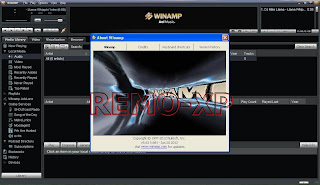
Download Winamp Pro 5.63

Download Winamp Pro 5.63 Build 3235 Full + Serial Number


Winamp Pro 5.63 Full Serial Number is a software music player which is already very well known name so many PCs that use this software. According to the review from CNET, this software ranks fifth in Music Management. Winamp Pro has more features than the free version, but the paid pro version. Trick2Share will share about serial numbur of winamp pro version so you can download it for free.


Minimum System Requirements :
  • 500MHz Pentium III or comparable
  • 128MB RAM
  • 15MB Hard Disk Space
  • 16bit Sound Card
  • Windows 2000 or later
  • Internet Explorer 5.01 or higher (for Online Services)
  • 1x speed or greater CD Burner (Required for Burning

Download Link:
Download Winamp Pro 5.63 Build 3235 Full + Serial Number
Password : www.remo-xp.com

Download Yahoo Messenger

Download Yahoo Messenger YM 11 Final Offline Installer [Direct Link]

 
Yahoo Messenger YM 11 is available as online installer from Yahoo messenger website but i want to share about Yahoo Messenger YM 11 offline installer version from yahoo direct download link. With offline installer version, you do not need to connect to the internet to install YM messenger application. YM 11 has a few differences in the appearance and capability that is better than its previous version. If you are interested to try the newest features on Yahoo Messenger 11, just download and install on your computer.

Yahoo Messenger YM 11

Yahoo Messenger YM 11 Features :
  • Instant Messaging : Send text messages in real-time to your friends on Yahoo! Messenger.
  • Chat Rooms : Join a chat room to meet new friends while you discuss your favorite
  • Photo Sharing : Share photos from your desktop or Flickr, then discuss them over IM while you and a friend view them together.
  • PC-to-PC Calls : Make a voice call to another Yahoo! Messenger user for free (microphone and speakers/headset required).
  • Phone Out (PC-to-Phone Calls) : Call friends on their regular or mobile phones from Messenger for as low as 1¢ a minute (Phone Out account required).
  • Phone In (Get a Phone Number for Messenger) : Get a new phone number that allows you to receive calls in Yahoo! Messenger (Phone In account required).
  • SMS (Text Messaging) : Send text messages from Messenger to your friends mobile phones for free.
  • Webcam (Video Call) : Plug in your webcam to share live video with your friends on Yahoo! Messenger.
  • IM Conferencing : Instant message with many friends at once in a conference room (includes voice capabilities, where available).
  • IM with Friends on Other Networks : IM with friends who use Windows Live™ Messenger, Reuters Messaging, and Lotus Sametime — right from Yahoo! Messenger.
  • File Transfer : Send files instantly to a friend while you IM (2 GB limit).
Download Link [Direct Link from Yahoo]:
Yahoo Messenger 11 Offline Installer [US United State]
Yahoo Messenger 11 Offline Installer [UK United Kingdom]
Yahoo Messenger 11 Offline Installer [ID Indonesia]
Yahoo Messenger 11 Offline Installer [AU New Zealand / Australia]
Yahoo Messenger 11 Offline Installer [ES Spain]
Yahoo Messenger 11 Offline Installer [IT Italia]

Download IObit Malware Fighter 1.0 Final Free

Download IObit Malware Fighter 1.0 Final Free


IObit Malware Fighter 1.0 Final is an advanced malware & spyware removal utility that detects, removes the deepest infections, and protects your PC from various potential spyware, adware, trojans, keyloggers, bots, worms, and hijackers. With the unique "Dual-Core" engine and the heuristic malware detection, IObit Malware Fighter detects the most complex and deepest spyware and malware in a very fast and efficient way.

IObit Malware Fighter 1 Final has a enhanced real-time protection and frequent automatic updating for prevention of zero-day security threats. IObit Malware Fighter can work with your Antivirus for a superior PC security.

IObit Malware Fighter 1.0

IObit Malware Fighter 1.0 Final Features:
  • One-click Solution and Very Easy to Use: Traditional advantages of IObit products. We love simple and automatic styles.
  • Complete PC Security Care: Anti-malware, anti-spyware, anti-adware, anti-trojan, anti-bots, and more. IObit Malware Fighter can assist your antivirus to defend any tricky and complex threats.
  • Finds the Deepest Infections: Using DOG (Digital Original Gene), a novel heuristic malware detection method, while IObit Malware Fighter can find the most complex threats; Very Fast and Light Thanks to the improved, unique "Dual-Core" anti-malware engine, complicated analysis can be made faster now.
Download : IObit Malware Fighter 1.0 Final